TRAINERIFY
Designing a dual-user fitness app by aligning trainer workflows with in-workout trainee needs
Overview
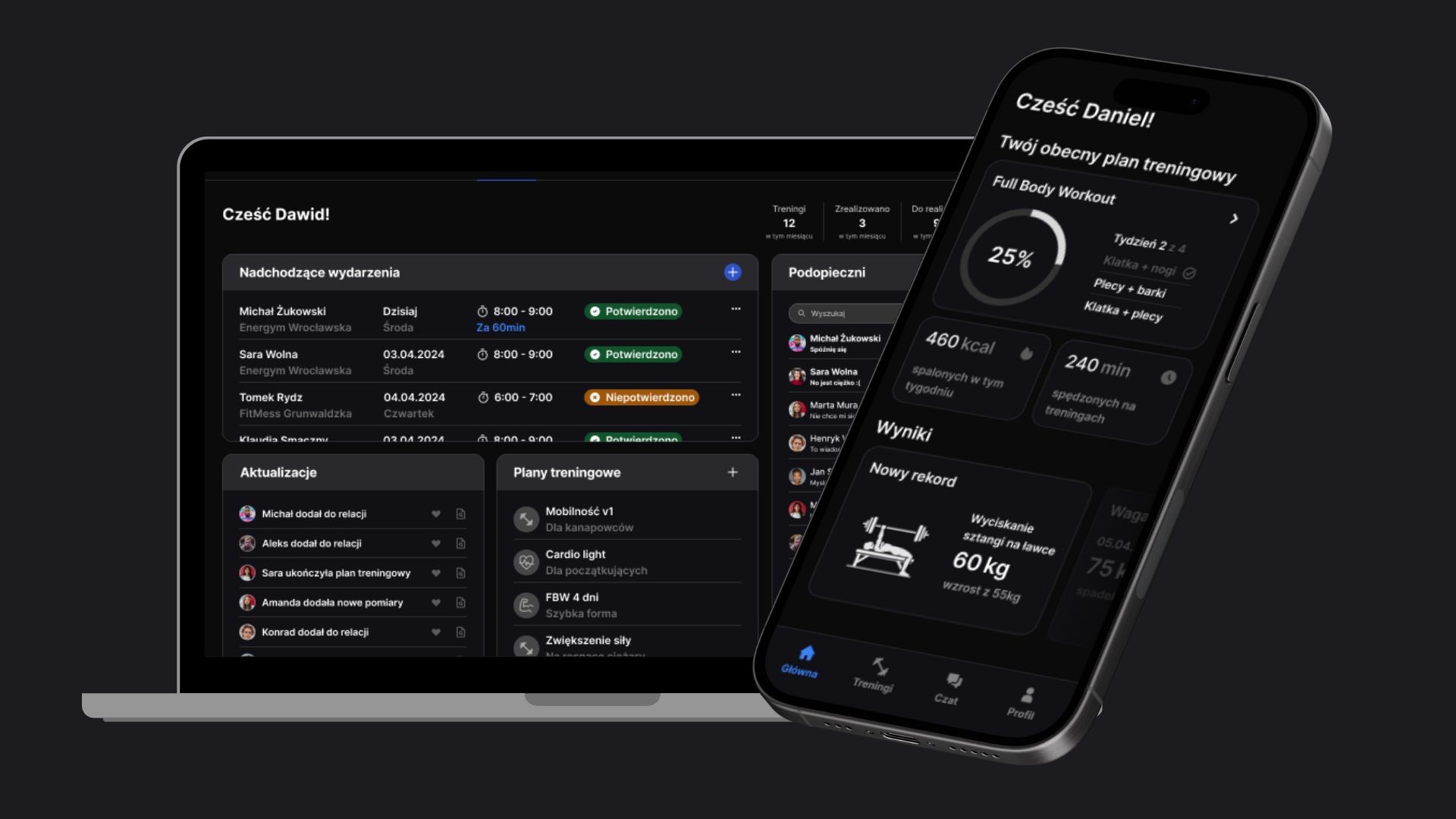
Trainerify is a concept mobile app designed to simplify trainers’ workflows and support trainees during workouts by focusing on flexibility, clarity, and uninterrupted training experiences.
My role
Product designer
Tools used


The problem
Personal trainers and trainees share a common frustration: existing workout apps do not address their needs.
Trainers create training plans not using available apps as they are cumbersome and incompatible with their needs
Trainees need clear guidance during workouts but are forced to switch between apps, videos, or notes, breaking focus
This mismatch leads to poor adoption, inconsistent usage, and both trainers and trainees abandoning digital tools.
Research
Key questions - trainers
What tools do you currently use to prepare and manage training plans?
Why do you choose these tools over others?
What is difficult or time-consuming when creating plans?
In which situations do you avoid using apps altogether, and why?
Key questions - trainees
How do you receive training plans from your trainer?
What is difficult when following a plan during a workout?
What do you do when instructions or context are missing?
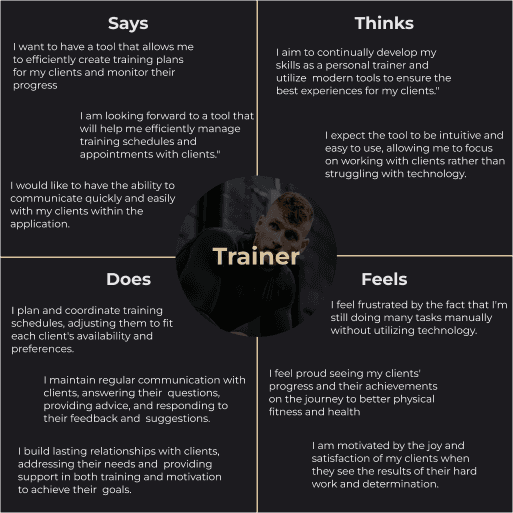
Trainer empathy map
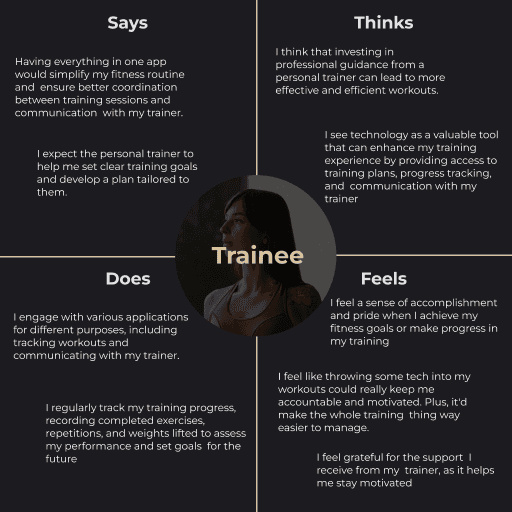
Trainee empathy map
Insights
Insights were synthesized from interviews and empathy maps and defined the core problems the design needed to address.
Complex plan creation discourages trainers from using apps
Many trainers were preparing plans outside dedicated apps because using them took longer than notes, spreadsheets, or ad‑hoc solutions. As a result, apps were seen as an obstacle rather than support in their daily work.
Poor workout support breaks the trainee experience
Trainees often needed exercise instructions or context mid‑workout. When this information was hard to access or required switching tools, it disrupted the training flow and reduced the perceived usefulness of the prepared workout plans.
Trainers and trainees need different types of support
Research showed that trainers need a simple and efficient tool for plan creation, while trainees need a clear, all-in-one workout experience during training sessions. Tools that do not prioritize these core needs fail to support either group effectively.
Prototyping
The goal of this phase was not visual design, but validating whether the product structure actually supports the core needs identified in research. I focused on two critical questions:
Can a trainer create and manage a training plan quickly enough to make the tool worth using?
Can a trainee complete a workout without leaving the app or losing focus?
User flows
The user flows define the core structure of the product and highlight the primary paths for each user type.
The trainer flow centers around fast access to workout planning and exercise management. Plan creation and editing are treated as primary actions, while profile, calendar, chat, and trainee management remain secondary and accessible outside the main creation path.
The trainee flow is built around executing workouts with minimal distraction. From the main page, trainees can quickly access their current or past workouts and move directly from a selected day to specific exercises, without unnecessary branching.
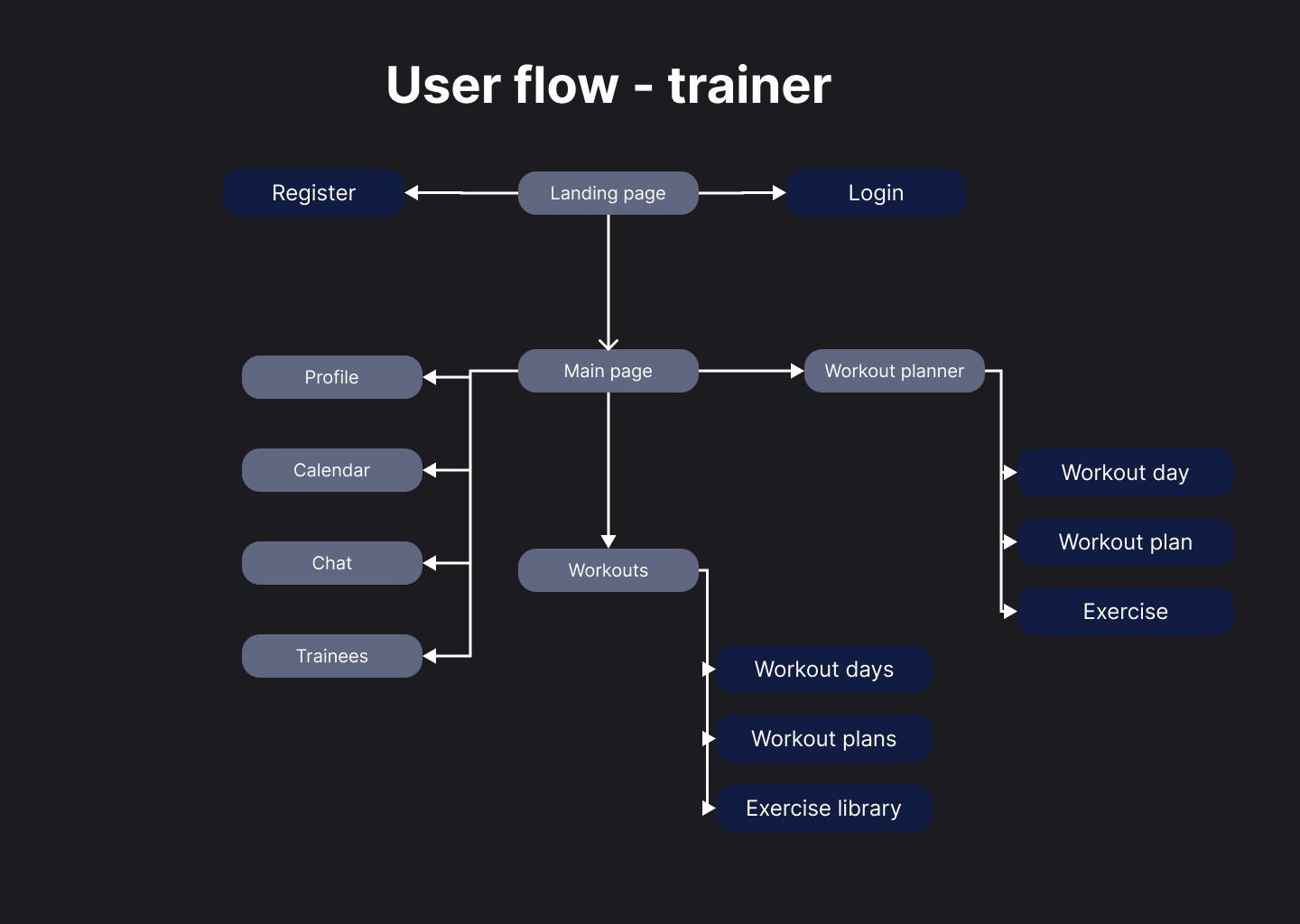
User flow - trainer
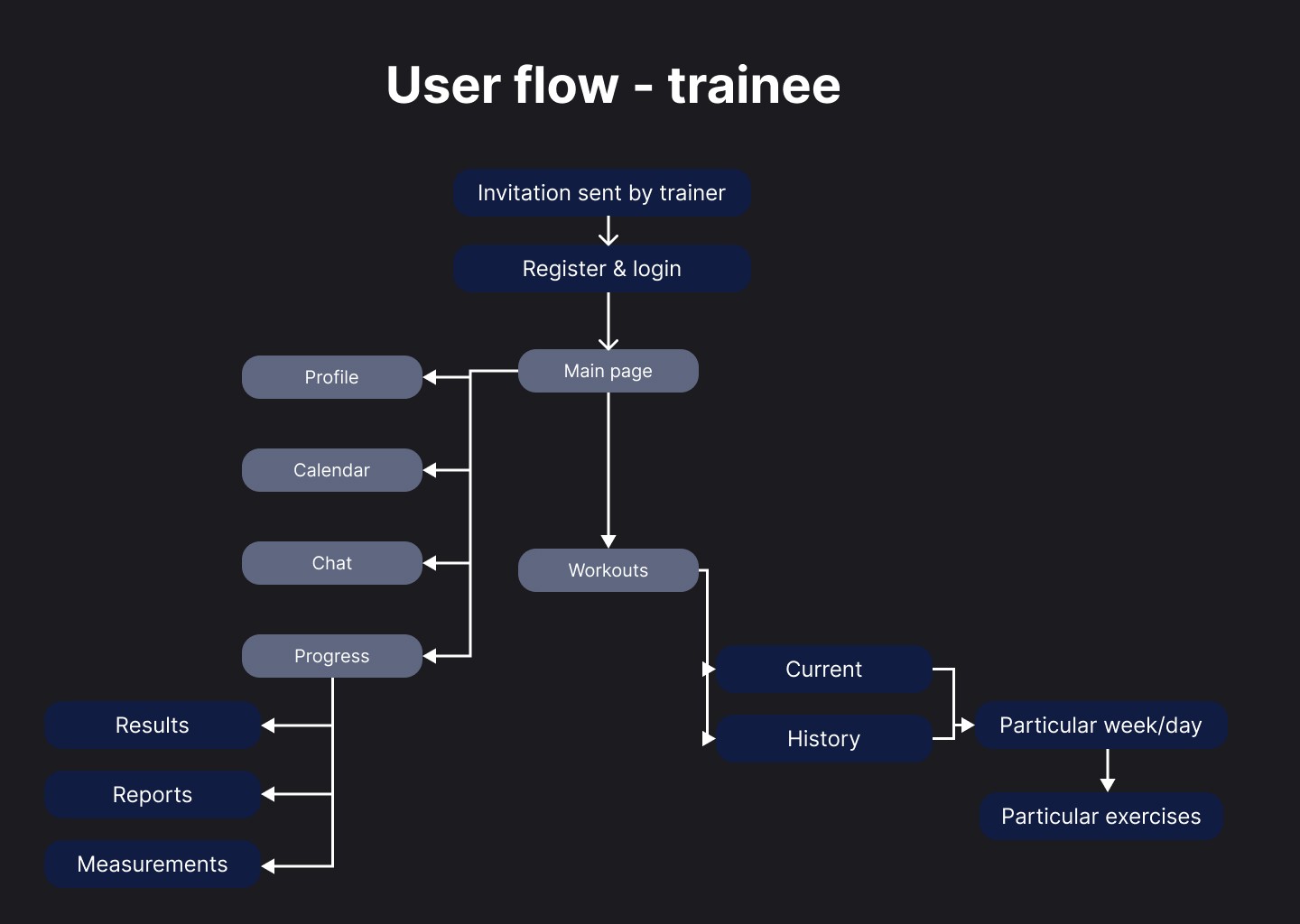
User flow - trainee
Low- and mid-fidelity prototypes
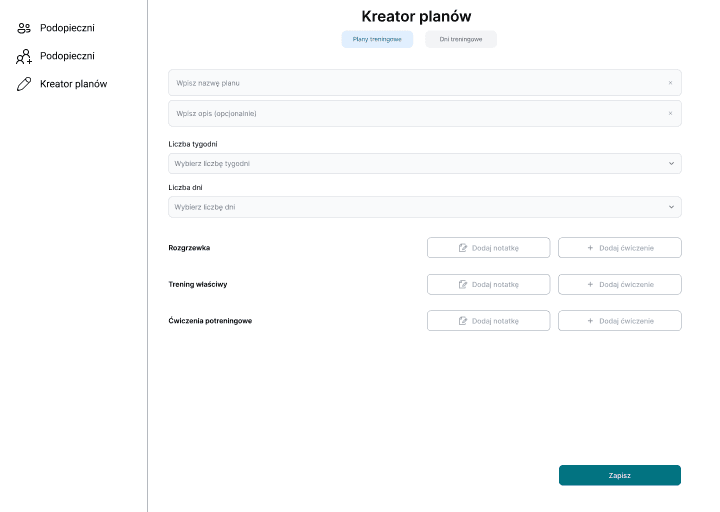
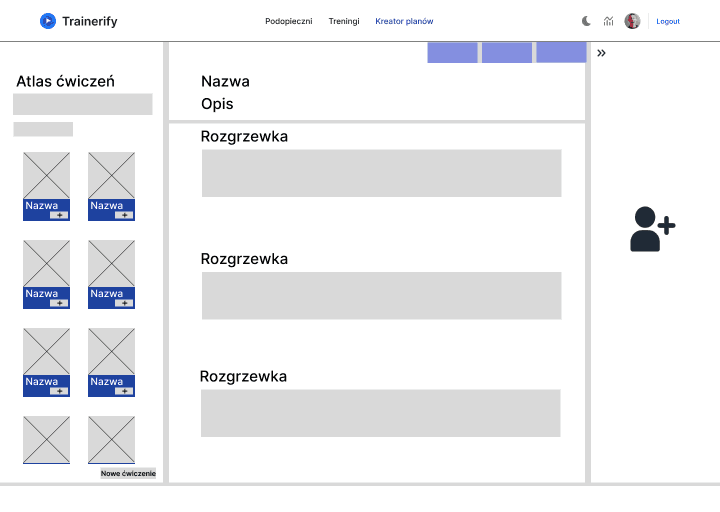
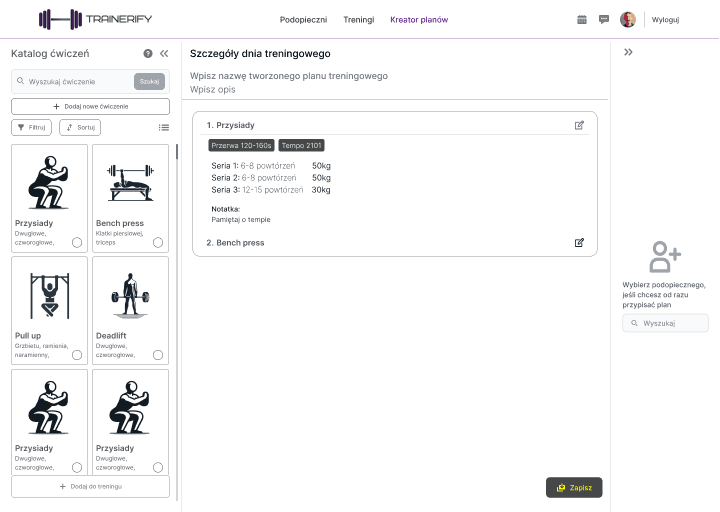
Based on the flows, I created low- and mid-fidelity wireframes to test structure and sequencing, not UI polish.
The prototypes were intentionally minimal to validate:
whether plan creation steps felt manageable for trainers
whether trainees could access exercises, instructions, and progress without switching context
Validation and iteration
I tested the prototypes with personal trainers and trainees, asking them to complete realistic scenarios rather than explore freely. I focused on where users hesitated or asked for clarification, steps that felt unnecessary or repetitive and moments where users expected something to be available but it wasn’t.
Based on this feedback, I adjusted the flow structure by:
reducing the number of steps in plan creation
clarifying entry points to workout content
removing secondary actions that distracted from the main task
This phase ensured that the core experience worked at a structural level before investing in detailed UI design.
Final design
The final design translates the validated structure into a clear, focused interface rather than exploring visual concepts or advanced features. The product is built around two distinct experiences that reflect the needs identified in research:
Trainer experience focused on efficient plan creation and client management
Trainee experience focused on executing workouts without distractions or context switching
Each screen was designed to support a single primary task. During workouts in particular, the interface limits available actions to what is strictly necessary, ensuring that trainees can access exercises, instructions, and progress in one place.
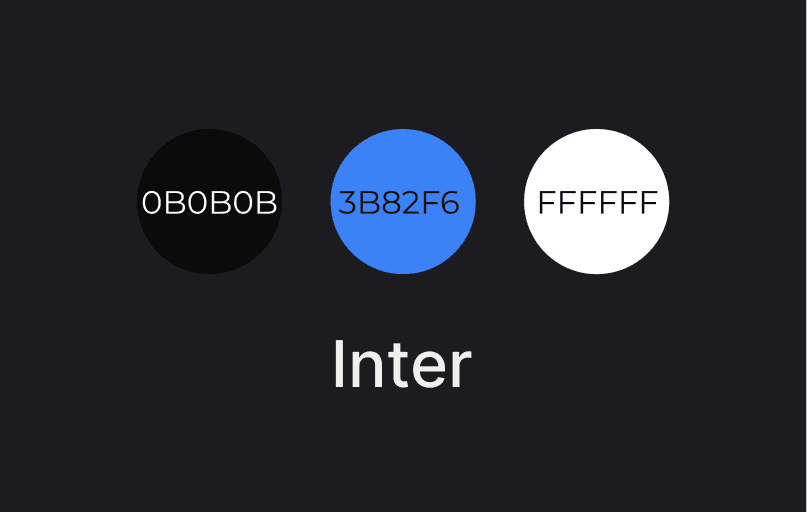
Visual design decisions were intentionally restrained. The UI prioritizes clarity, hierarchy, and predictability over expressive styling, reinforcing the product’s role as a practical training tool rather than a motivational or gamified app.
The final prototype represents a coherent solution to the core problems uncovered in research and validated during prototyping, providing a solid foundation for further testing and development.